Reviews
Round 42 successfully captures the feel of early 90s DOS gaming. The pixel graphics and sound effects are spot-on, and the increasing difficulty keeps you engaged. Controls are responsive, and the fullscreen option enhances immersion. It is a solid choice for short breaks or revisiting classic arcade action. The game offers good replay value as you try to beat your high score.
About this game
Game Introduction
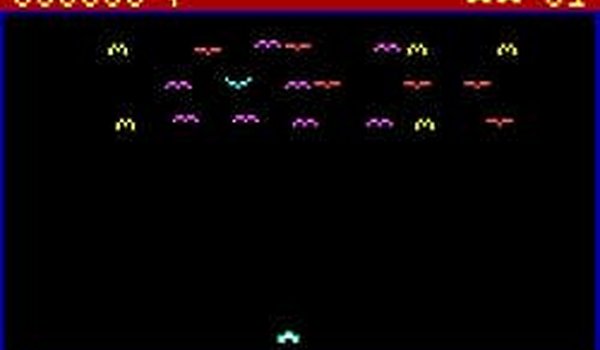
Round 42 is an online arcade game that recreates the look and feel of a classic MS-DOS title from the early 1990s. It preserves the original pixel graphics, iconic sounds, and core gameplay that made the original memorable. Players guide a character through increasingly difficult levels, dodging obstacles and gathering items to score points. The experience stays true to the retro arcade spirit, offering a simple yet engaging challenge. Whether you grew up playing DOS titles or are new to this style, Round 42 provides an authentic glimpse into early gaming history. It runs smoothly on modern browsers, so you can start playing immediately without any setup.
How to Play
When the game starts, clear on-screen instructions appear. Use the arrow keys or the on-screen controls to move your character. The main goal is to survive as long as possible while avoiding hazards and collecting points. To play fullscreen, click the fullscreen button. You can also turn the sound on or off using the sound toggle. The controls are easy to learn, making the game accessible to all ages. However, as you progress, the speed and complexity increase, testing your reflexes and timing. There are no complicated menus or settings, just straightforward gameplay that honors the original design.
Game Features
Original sounds and pixel graphics recreate the classic DOS atmosphere. Faithful gameplay mechanics stay true to the source material. Fullscreen support allows for an immersive experience. A sound toggle gives you control over audio. Simple controls make it easy for anyone to start playing. The game is designed to run in modern web browsers without any additional software or downloads.
Tips for Success
Practice regularly to improve your reflexes and timing. Pay close attention to the increasing speed and complexity of the levels. Focus on learning the patterns of obstacles and hazards to anticipate movements. Collecting items for points can help you achieve a higher score, but survival should be your primary goal. Take short breaks if you find yourself getting frustrated, as a clear mind often leads to better performance.
Compatibility
Play on Any Device | Chrome / Safari / Edge Recommended
 PlayPulse