Reviews
Stickman Parkour Craft delivers a pure platforming experience with 20 well-designed levels. The controls are responsive, and the difficulty curve feels fair. Each stage introduces new platform arrangements that keep the gameplay fresh. It is ideal for players who enjoy precision jumping games. The block-style visuals are pleasant and easy on the eyes. Replay value comes from trying to complete levels without mistakes. A solid choice for family-friendly arcade fun.
About this game
Game Introduction
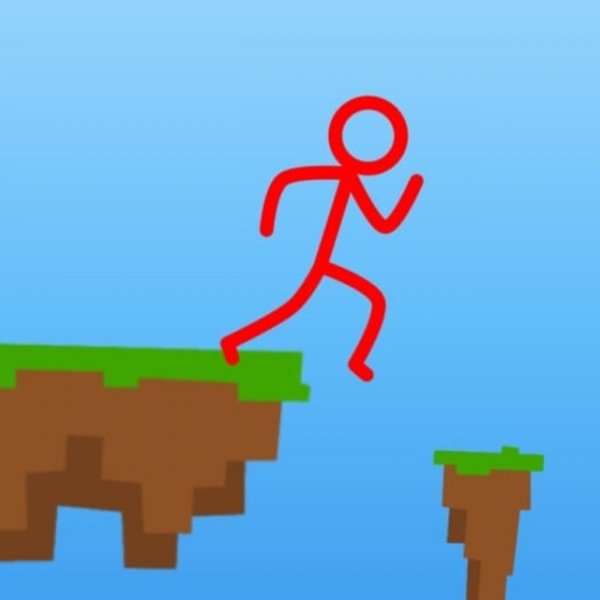
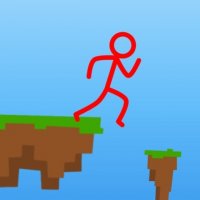
Stickman Parkour Craft Online Arcade Game is a family-friendly parkour adventure set in a vibrant block-style world. Players control a stickman character who must navigate through increasingly challenging levels by jumping from platform to platform without falling into the abyss. The game offers a clear challenge without complex rules, making it suitable for kids and adults alike. With its colorful graphics and simple objective, it provides a relaxing yet engaging experience for quick play sessions or extended gaming.
How to Play
In Stickman Parkour Craft, players typically use keyboard controls to move the stickman character. The goal is to reach the end point of each level by jumping across platforms of varying sizes. If the stickman falls off a platform, the level is lost and you must try again. The game is designed for quick sessions, making it great for short breaks or extended play. Controls are easy to learn, allowing players to focus on timing and coordination.
Game Features
Stickman Parkour Craft includes multiple levels with increasing difficulty, offering a gradual learning curve. The game features simple controls that are easy to pick up, making it accessible to players of all ages. Colorful block-style graphics create a cheerful atmosphere. The game works smoothly on all modern browsers and devices, including PC, mobile, and tablets, allowing play anywhere.
Tips for Success
To succeed in Stickman Parkour Craft, practice regularly to improve your timing and coordination. Study each level's platform layout before making jumps, and plan your moves carefully. Stay focused, as the difficulty increases gradually. Take breaks if needed to maintain concentration. Mastering the controls through repetition will help you navigate obstacles more effectively and enjoy the game's rewarding challenge.
Compatibility
This H5 game runs smoothly on:
• Desktop computers (Windows / Mac)
• Mobile phones (iPhone / Android)
• Tablets (iPad / Android)
🌐 Best experienced with Chrome, Safari, or Edge
 PlayPulse