Prado Racing 3D Simulator delivers an authentic racing experience with its detailed 3D visuals and responsive controls. The drifting mechanics are well-implemented, allowing players to maintain speed through corners. The variety of tracks and unlockable cars keeps the gameplay fresh. It is a solid choice for anyone who enjoys fast-paced racing games.
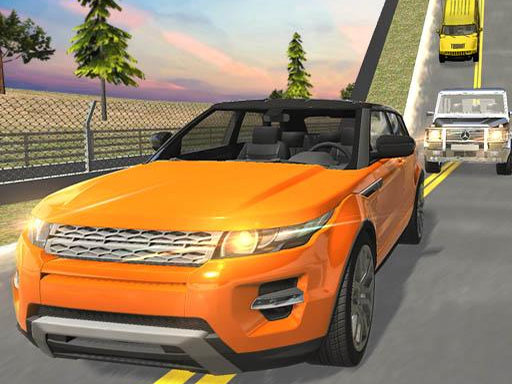
Prado Racing 3D Simulator is a racing game built for speed enthusiasts. You take control of high-performance Prado cars and compete against fast opponents on dynamic tracks. The game uses realistic 3D graphics and immersive sound effects to create a lifelike racing experience. Every turn and straightaway feels authentic, and the drifting mechanics let you maintain speed through corners. Whether you are new to racing games or a seasoned player, this title offers a balanced challenge that rewards practice and precision. The core objective is to complete races as quickly as possible while mastering cornering techniques to gain an edge. What makes this game unique is its focus on realistic driving physics combined with accessible controls. Players can enjoy a variety of tracks that feature different layouts and obstacles, keeping each race fresh and engaging. The game is designed to be both fun for casual players and deep enough for those who want to improve their racing skills. With each race, you can refine your technique and aim for faster lap times.
To play, start by choosing your favorite Prado car from the garage. Use the on-screen controls to accelerate, brake, and steer. The key to winning is drifting around corners without losing speed. As you complete races, you unlock new tracks and cars, each with unique layouts and handling. Stay focused, avoid obstacles, and use your boost at the right moment to cross the finish line first. The game is easy to learn but offers depth for those who want to improve their racing skills. Players typically start with a basic car and gradually progress to more advanced vehicles. The controls are responsive, allowing for precise steering and acceleration adjustments. Learning to balance speed and control is essential for success. Practice on different tracks to understand their unique challenges and find the best racing lines.
Game features include stunning 3D graphics that bring each track to life. Realistic sound effects make the engine roar feel authentic. Diverse tracks offer new challenges as you progress. Smooth drifting mechanics let you master cornering and maintain speed. The game includes a variety of cars that may have different handling characteristics. Each race provides an opportunity to improve your driving skills. The visual and audio design creates an immersive racing environment. Players can expect a satisfying experience that combines realistic visuals with responsive controls. The game is designed to be engaging for both casual and dedicated racing fans.
Practice regularly to learn each track's layout and find the best racing lines. Focus on smooth drifting to maintain speed through corners. Use your boost strategically on straight sections for maximum effect. Pay attention to obstacles and adjust your speed accordingly. Consistency is more important than taking unnecessary risks. As you unlock new cars, experiment with different vehicles to find one that suits your driving style. Stay patient and enjoy the process of improving your lap times.








Player Comments
Sign in to comment
You must be logged in before posting a review or rating.
No account? Create one
No comments yet. Be the first to comment!